

Integration Options
MammoScreen® integrates seamlessly into existing workflows, with installation carried out entirely remotely. We offer training at your own pace to ensure optimal adoption of the software.
Workflow Overview
Mammography studies (FFDM and/or DBT) head from your PACS or modality to a virtual gateway inside your building. The de-identified and encrypted data is sent to our cloud and computed. A MammoScreen report is sent back to the gateway and redistributed to your screening software. No patient information leaves your building. We are ISO 27001 Certified and HIPAA Compliant. The data is erased from the cloud immediately after processing.
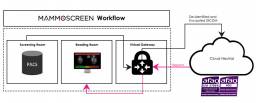
Information regarding on premise installation available upon request.
Data Security
We use a secure cloud certified for Health Data Hosting (HDS) to process data, and based in the European Union. DICOM images are systematically anonymised before being uploaded and are deleted from the cloud once processing is complete.
Therapixel is ISO 27001 and HDS certified, and fully compliant with GDPR. This demonstrates a strong commitment to data security and confidentiality in healthcare, ensuring the effective protection of sensitive information.

MammoScreen can be integrated in 4 main ways:
Mammolist – a patient list containing a score for each case
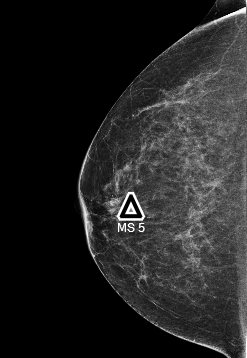
DICOM SR – an overlay onto the viewer that locates the mark and can provide a score as well.
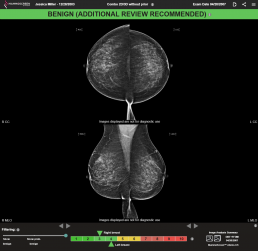
DICOM SC – a screen capture display within the viewer.
Widget – a movable unintrusive icon that provides a quick glance of the MammoScreen score as a case is loaded, and a full report if expanded.
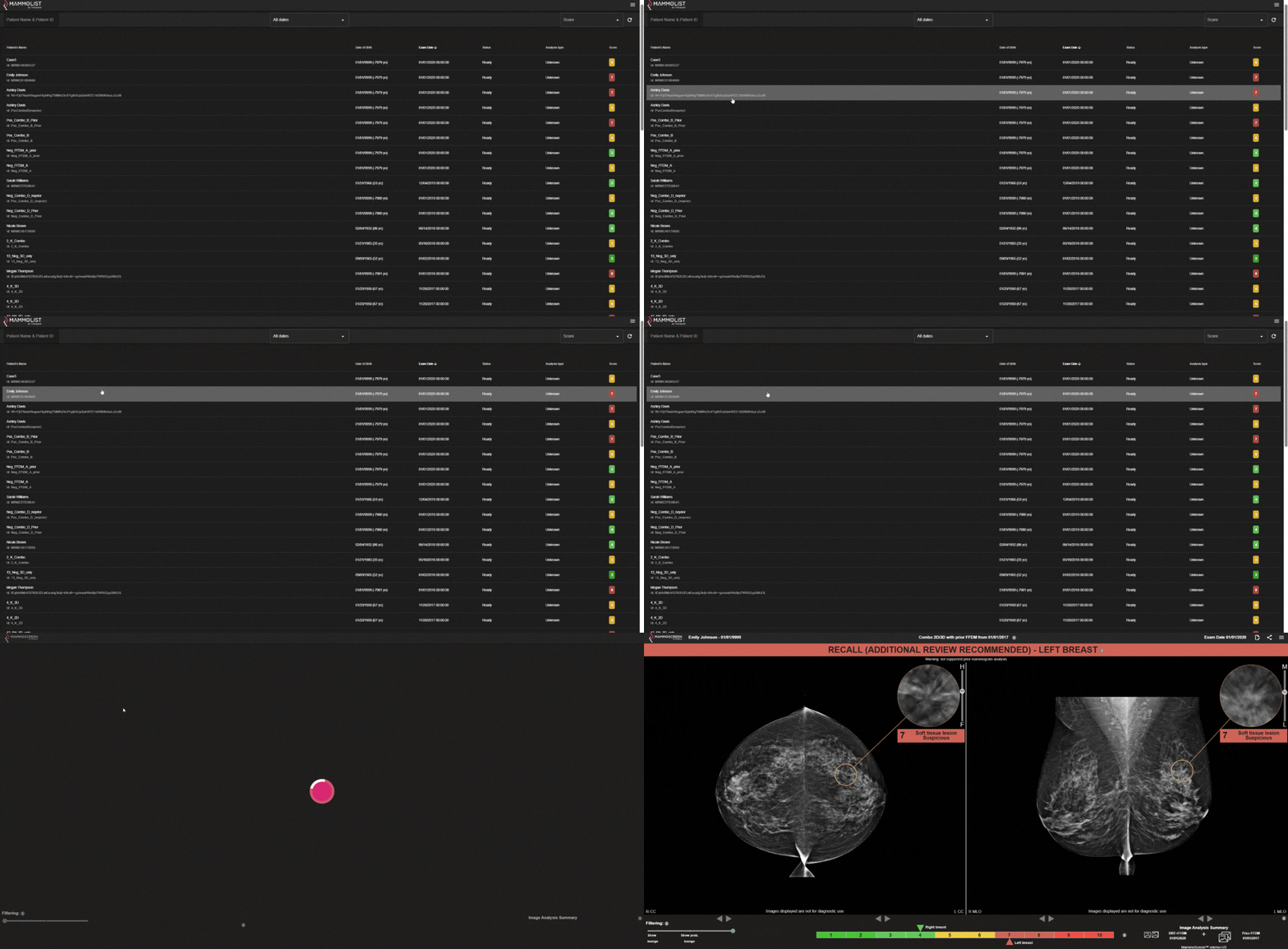
Mammolist
- Score for each breast displayed first (optional)
- Integrated into the viewer
- Navigate through the DICOM-SC slices to review all lesions detected by MammoScreen
- Preview of the case score
DICOM SR
Overlaid within your viewer, similar to old CAD models
Marks available in 3D and 2D images
Score can be integrated in the patient worklist
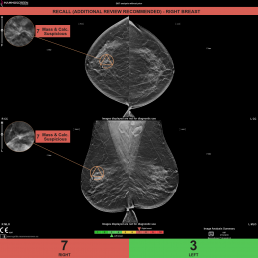
DICOM SC
Overview of both breasts displayed first (optional)
Integrated within the viewer (not available to patients)
Navigate through stack to see the details of the report
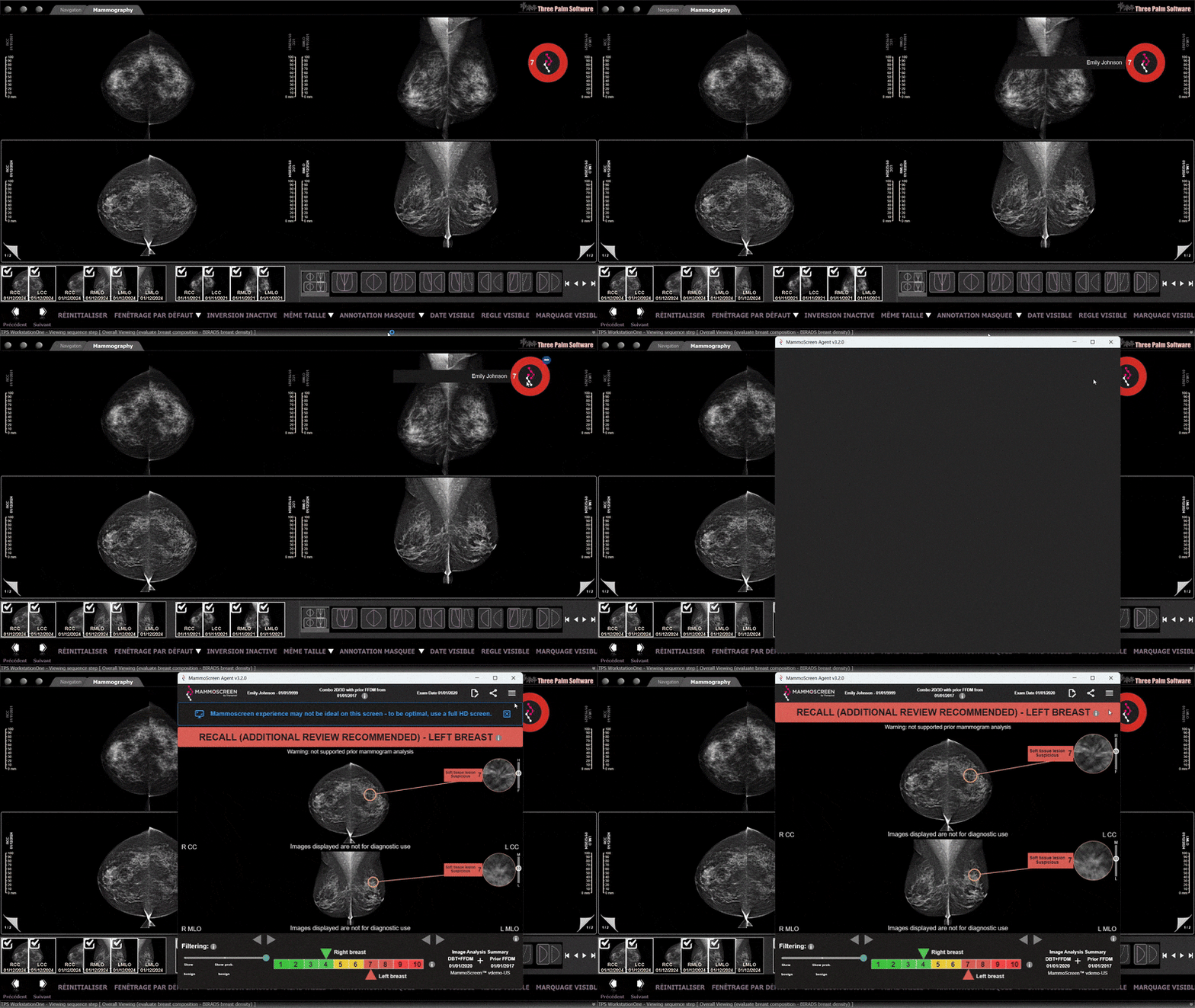
MammoScreen Widget
- Small, quick notification of score
- Expandable to see full results
- Movable, unintrusive icon; place wherever you choose
- Unintrusive but actionable